POEditor offers several ways to review, flag, and correct translations before they go live. Use one or combine them, depending on how strict your quality process needs to be.
Fuzzy translations
The Fuzzy flag marks a translation as needing a second look. Toggle it on any string with the F button, or in bulk from the language page with Toggle Fuzzy.

Fuzzy is set automatically in a few cases:
- when an owner or admin edits a term, to flag existing translations for re-check

- on import, when overwriting existing translations

- if Mark strings as fuzzy in other languages is enabled in the project's settings and an edit is made on a string in the Default Reference Language

You can use the filter Show > Fuzzy to quickly work through flagged strings in the language pages.
Read more about fuzzy translations
Proofreading
Proofreading adds a sign-off step with role-based access. Enable it in Project Settings > Advanced, then assign proofreaders from your contributor list.
Proofreaders mark strings as Proofread or Not proofread; editing a proofread string clears the flag and warns the editor first.

Other things to know:
- Lock Proofread Translations (Project Settings) prevents non-proofreaders from editing or removing proofread strings

-
Proofread/Not proofread work as filters in the language pages and as export filters
- a callback is available for when a language reaches 100% translated and proofread
QA Checks
QA Checks catch mechanical mismatches between source and target strings — placeholders, brackets, punctuation, whitespace, glossary terms, and more. They run in real time by default (toggle this in Account Settings) or on demand with Run QA Checks.

Proofread strings, plural forms, ICU strings, and strings with no Default Reference Language match are skipped.
Quality Evaluation (QE)
Quality Evaluation uses your connected LLM to assess AI-translated strings against the MQM framework. Each translation gets a score out of 100, plus the category and severity of any issue found.
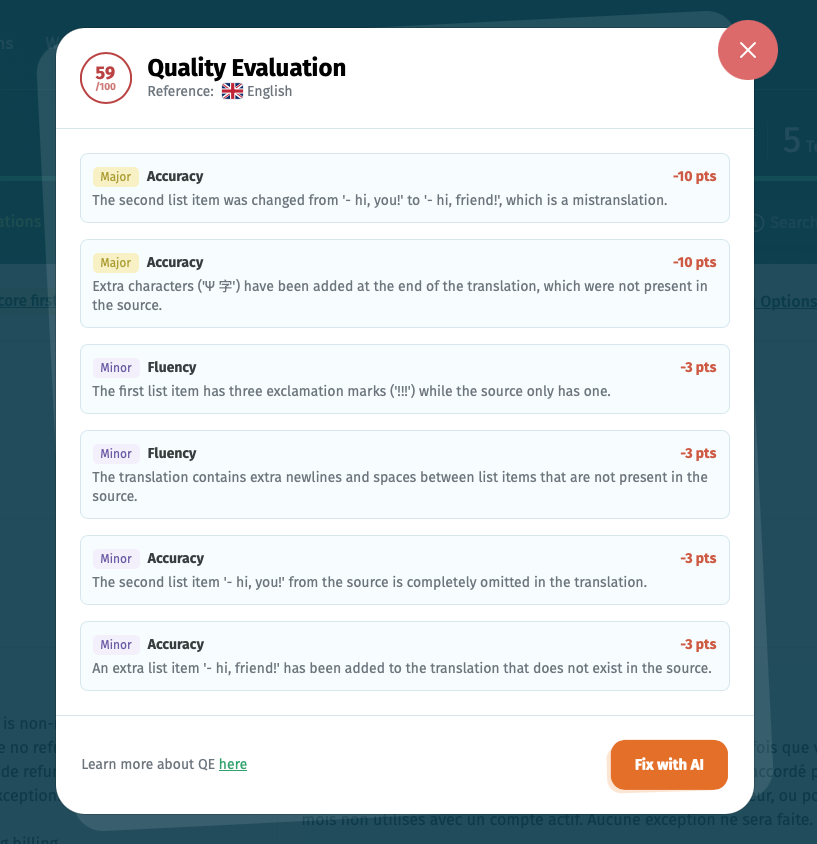
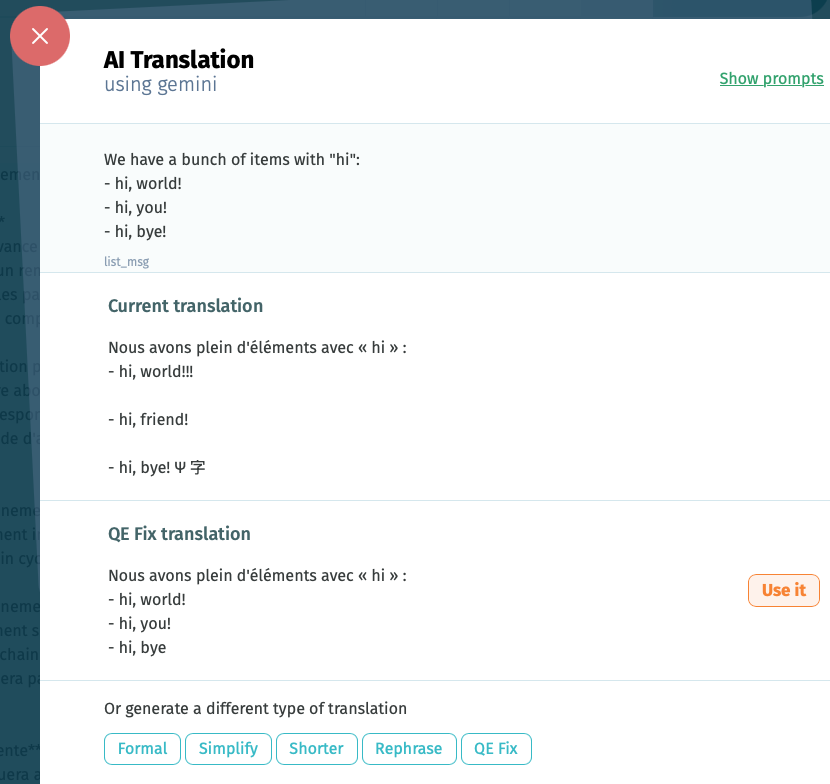
From the results, use Fix with AI (QE Fix) to generate a corrected translation. The QE Fix prompt can be customized in your AI integration settings, alongside the other adjustment prompts.
QE is available on all plans, wherever AI Translation is set up.
Read more about AI translation
Change History
Change History isn't a review step — it's the safety net around one. Every translation is stored an hour after it's saved, so you can view or recover earlier versions if a revision goes wrong.
- the History link on a string shows its past versions, translator's name and the date when the respective translation was added

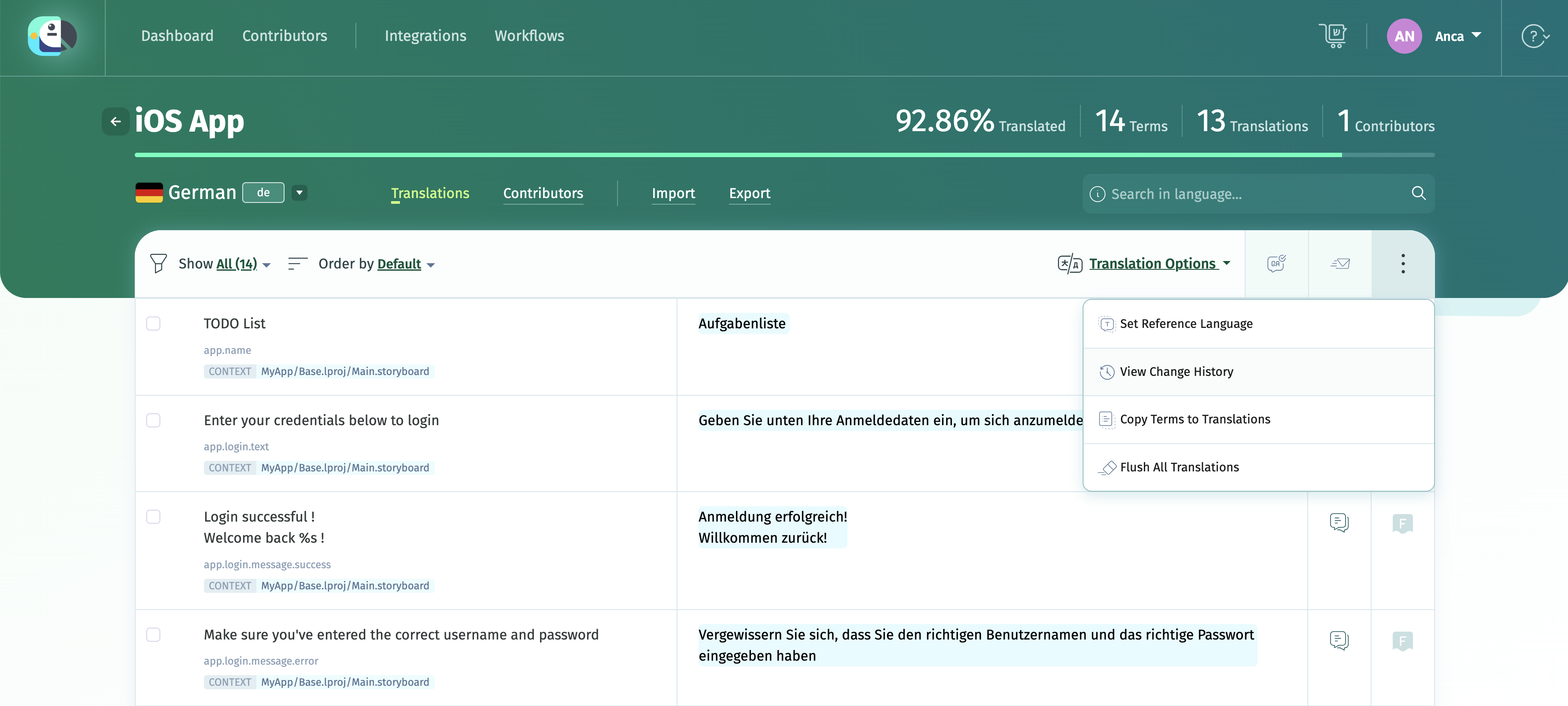
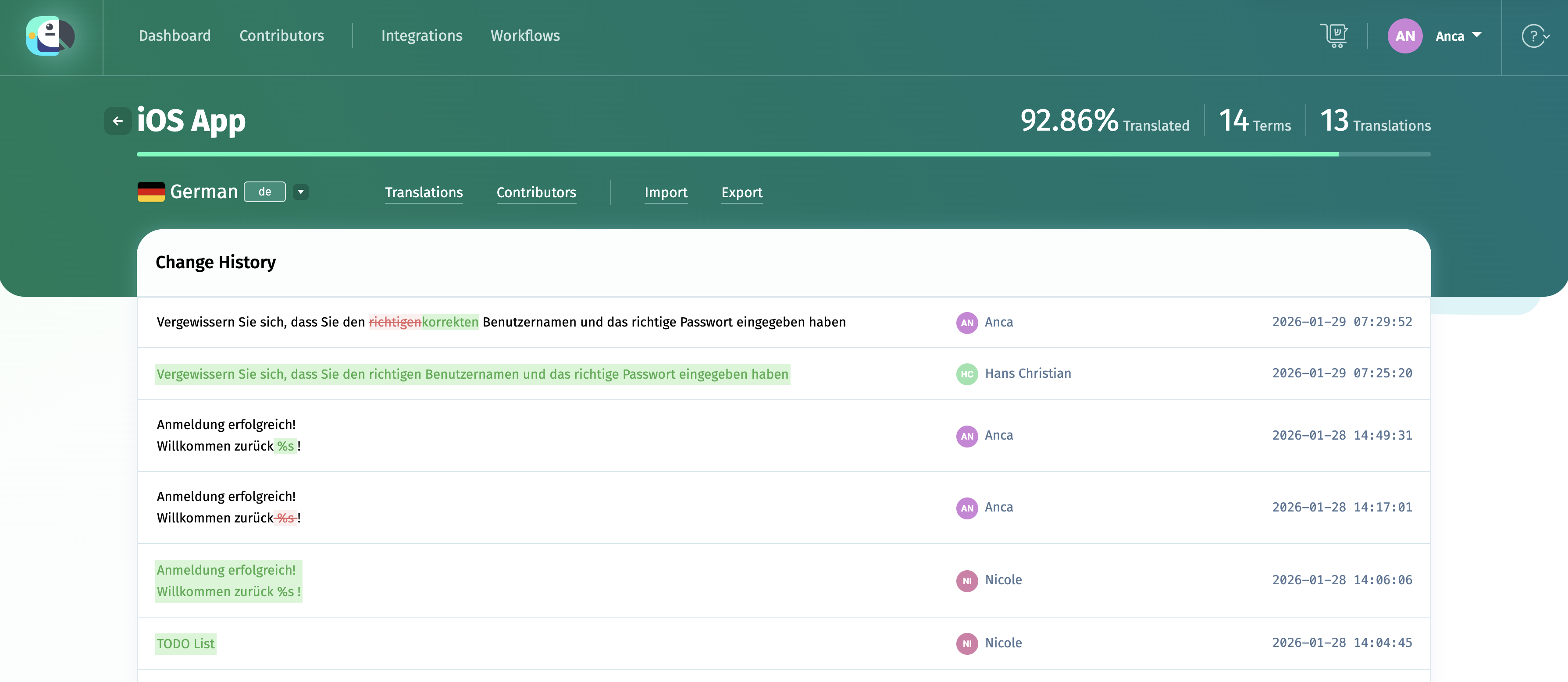
- View Change History shows all changes made to a language
The changes are highlighted as shown below.
- owners and admins can bulk-recover the last saved version for empty fields with Recover translations

Read more about Change History
Keeping contributors in the loop
Revision only works if the right people know there's something to revise.
- After a source edit sets strings to Fuzzy, use the project's Notify button to tell contributors to review them. They can filter by Fuzzy to find exactly what changed.
- Set up a callback for the language 100% proofread event to close the loop automatically, without checking manually.
Notifying contributors is also supported in Workflows with the Notify step.