Based on the MQM (Multidimensional Quality Metrics) framework, the Quality Evaluation option flags translation issues by type and severity, so you can see at a glance which translations need reviewing and why.
Unlike QA Checks, which apply fixed rules, Quality Evaluation (QE) uses AI to judge overall translation quality and assign a score — catching issues that rule-based checks can't, like mistranslations or tone mismatches.
Quality Evaluation is available on all plans.
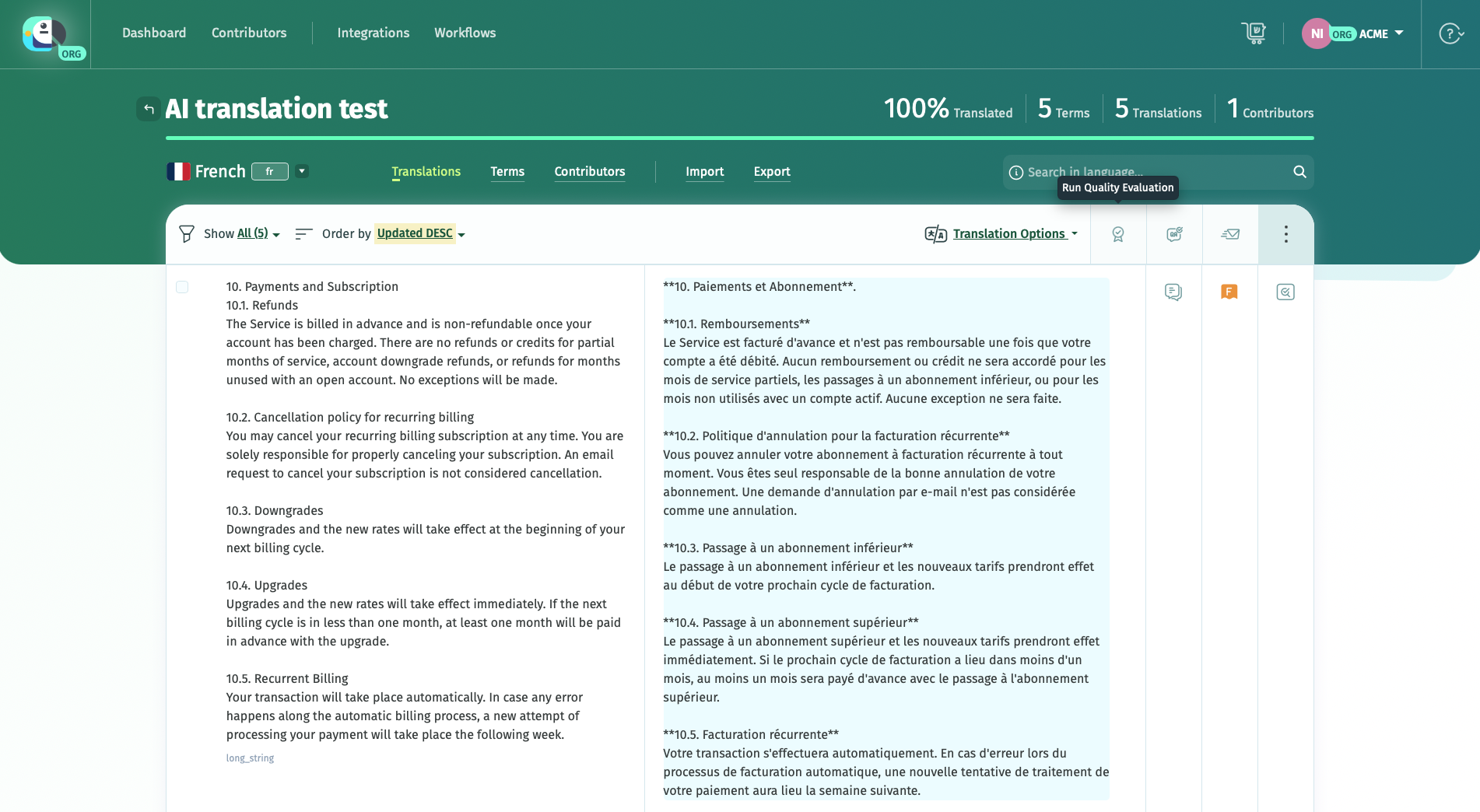
Requirements
Before you can run Quality Evaluation in your localization projects, you need:
- An AI integration set up on your account (or shared with you, if you're working in a shared project)
- A Default Reference Language set for the project, or access to a language to choose as reference. This is the language each translation is checked against.
If you have a glossary set on your project, the relevant glossary terms and definitions are automatically sent to the connected LLM to be included in the AI evaluation.
How scoring works
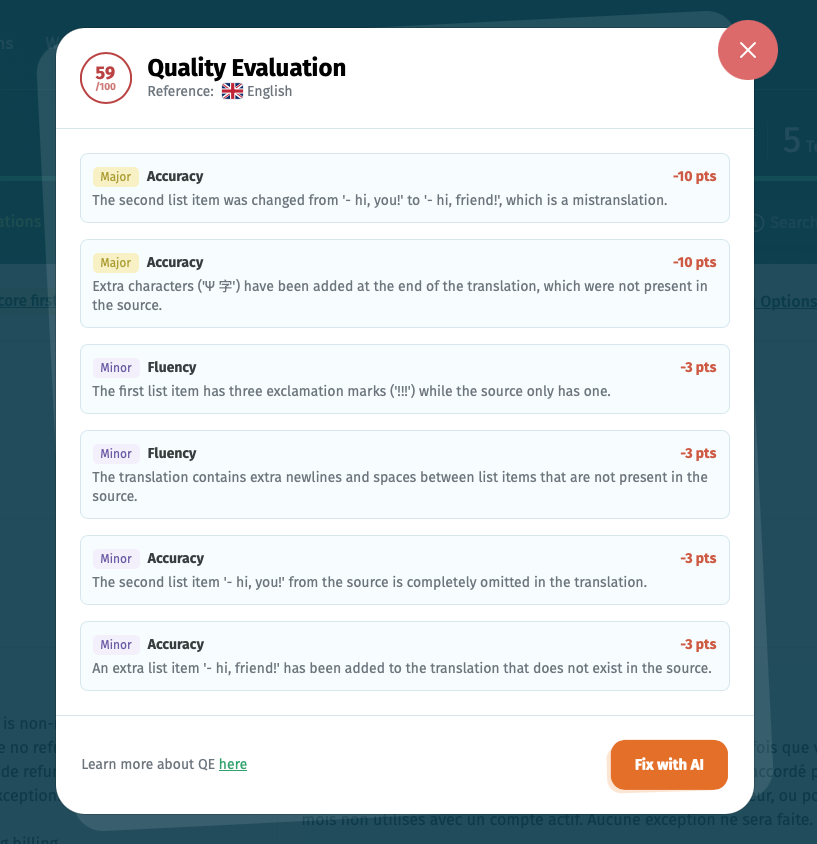
Each evaluated translation gets an overall score out of 100. If issues are found, they're listed individually with:
- Category — the type of issue (for example, Accuracy).
- Severity — Major or Minor.
- Point deduction — how much the issue lowered the score.
For example, a translation might lose 10 points for a mistranslated line, 10 more for extraneous characters added to the string, and 3 for extra formatting not present in the source, bringing the total score down accordingly.
Because scoring is AI-generated, running Quality Evaluation again on the same translation may produce slightly different results.
Running Quality Evaluation
You can run Quality Evaluation on a project's languages. Each time you run it, choose one of two scopes:
- Unscored translations only — evaluates translations that haven't been scored yet.
- All translations — rescores everything, including translations that already have a score.
Strings with plurals need to have all the forms filled in to be evaluated.
Once the evaluation finishes, scores appear alongside the corresponding translations on hover.

To see the flagged issues, click on a QE score.
Translation quality scores are automatically saved on the project after running the QE feature, and are visible to anyone with access to the language.
Fixing flagged issues with AI
Opening a translation's Quality Evaluation results shows its score alongside the list of flagged issues, each with its category, severity, and point deduction. From there, click Fix with AI to have AI generate a corrected version that addresses those specific issues.
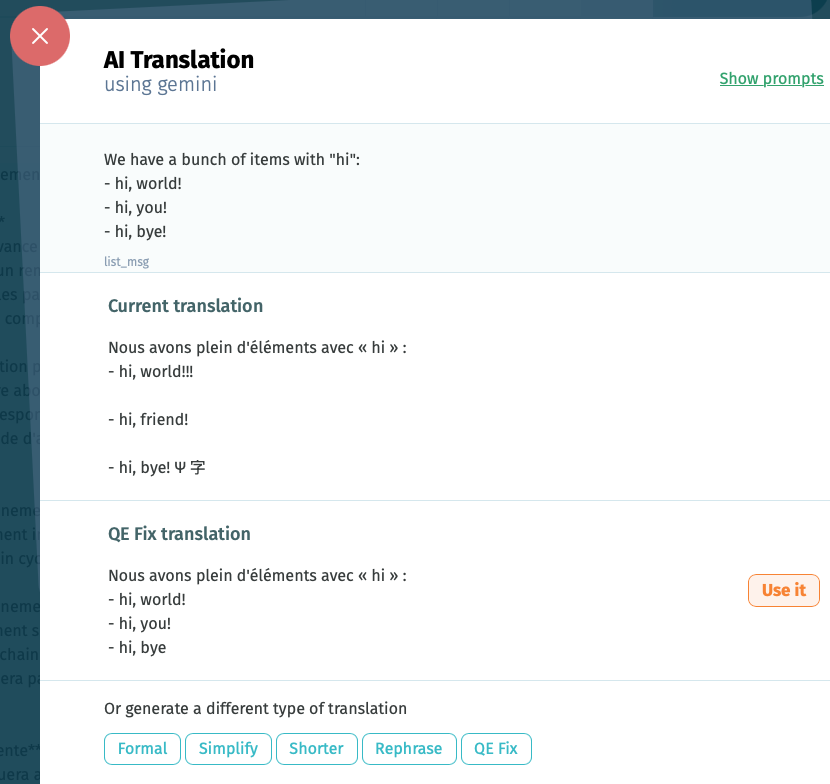
This opens the AI Translation panel, showing the current translation next to the AI-generated fix. Review the suggested fix and click Use it to apply it to the translation.
If you'd rather generate a different variant instead, the panel also offers Formal, Simplify, Shorter, Rephrase, and QE Fix options — QE Fix is the same issue-driven correction available from the Quality Evaluation results.
You can customize the default prompt for fixing strings based on the detected Quality Evaluation errors in your LLM's integration settings > Add custom prompt, choosing the prompt type QE Fix.
Sorting by QE score
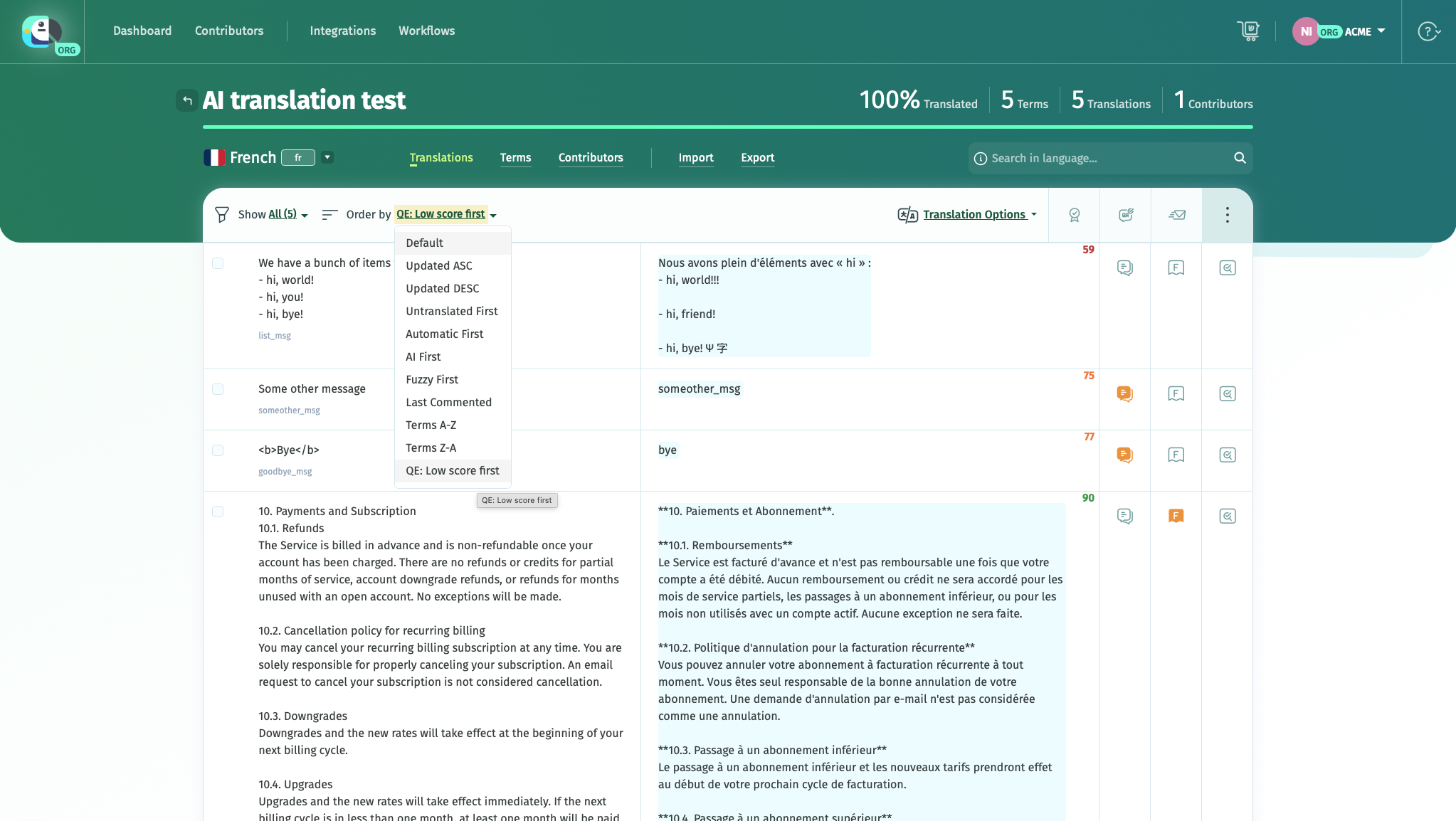
To review the lowest-scoring translations first, use the Order by dropdown above the translation list and select QE: Low score first. This sorts the list so translations with the lowest scores appear at the top, letting you prioritize the ones that need the most attention.
Quality Evaluation complements QA Checks. While Quality Evaluation uses an LLM to assess translation quality and suggest improvements, QA Checks is a rule-based feature that detects issues such as placeholder mismatches, formatting errors, punctuation differences, and inconsistent glossary terms.
Learn how Quality Evaluation fits into POEditor's complete translation review workflow in Revision options.