A step's input source determines what the step works on. You can leave it at its default, or point the step to the workflow trigger or to the output of any step placed before it.
It needs a plan that includes Custom Workflows, and is then available on the steps of any workflow you edit, including ones added from a template.
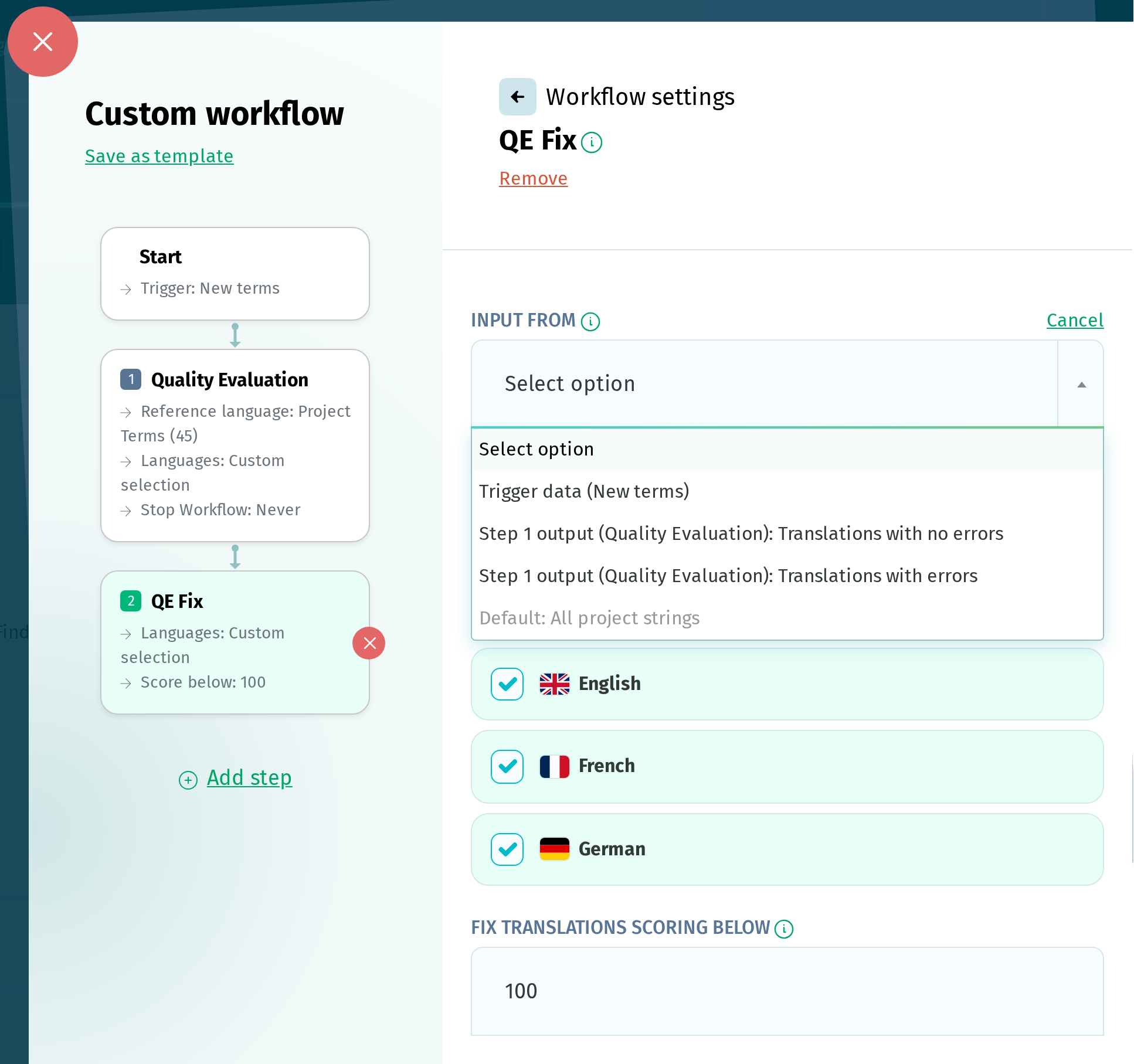
It is the first setting in each step, under Input from, and shows the source the step is currently using. Click Change to choose another source. Cancel restores the source that was selected before you opened the setting.
You can choose:
- the trigger's data, when the trigger passes something on: New terms and Reference language updated pass on terms, while Language added, Language complete and Language proofread pass on a language
- the output of any step placed before this one, listed as Step N output (step name): output
- the step's default input
More than one source can be selected, in which case the step works on everything those sources provide together.
When a step's Languages are set to Inherited, they are inherited from the input source, so changing the source can also change which languages the step runs on.
Defaults
If you leave Input from unchanged, Copy terms to translations, Translate with TM, Translate with AT and Translate with AI work on All untranslated project strings. QA check, Quality Evaluation and QE Fix start with All project strings. Every other step starts with the output of the previous step, excluding anything that step did not act on, such as Not translated, Passed Translations and Unaffected strings. These outputs can still be selected as inputs.
Good to know
- Import from Git, Export to Git, Notify Users and Project Stats have no input source.
- Manual and Scheduled pass nothing on, so a workflow running on one of these triggers has no trigger data to choose.
- Sources don't all carry the same type of data. Depending on what produced it, a source can carry a language, a list of terms, a list of translations, or a combination of these. If a step needs data that its selected source does not provide, the workflow reports an error when it runs.
- When a step uses a source other than its default, the workflow log records how many terms or translations it was restricted to. If that source produced nothing, the step has nothing to work on and makes no changes.