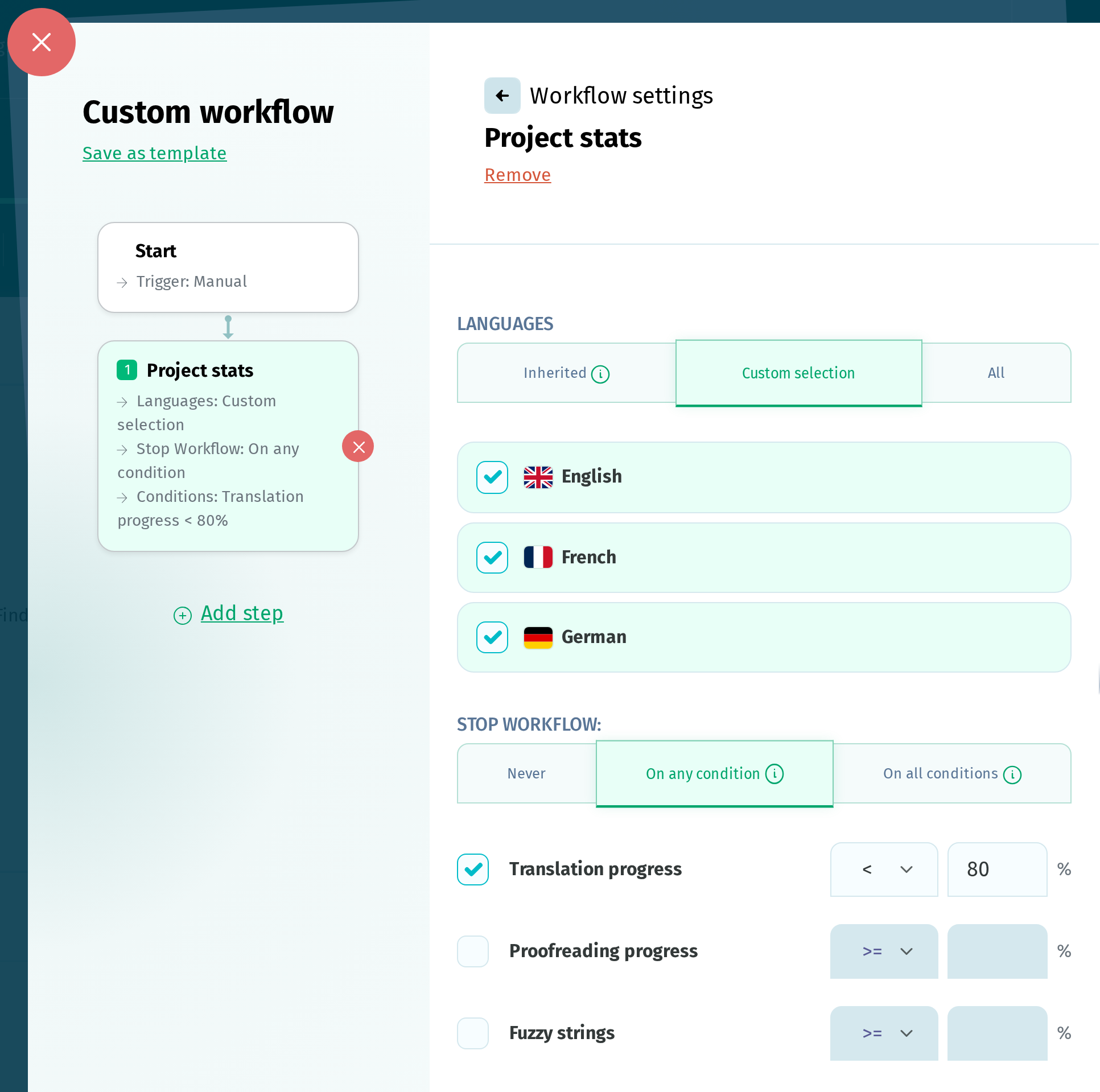
The Project stats step in Custom Workflows checks translation statistics for the selected languages and lets you control whether the workflow continues based on the results.
When it's the first step in the workflow, it can run based on the following triggers:
- Language complete
- Language proofread
- Reference language updated
- Scheduled
- Manual
You can choose which languages to check:
- the languages inherited from the previous step
- a custom selection of languages
- all the project languages
Based on the results, you can choose to:
- never stop the workflow
- stop the workflow if any of your conditions is met
- stop the workflow if all your conditions are met
You can set conditions for Translation progress, Proofreading progress, and Fuzzy strings. Each condition compares the percentage of project terms using <, <=, =, >=, or >.
The percentages are calculated across all the languages checked by the step, rather than separately for each language. If the step stops the workflow, all following steps are skipped.
If the Notify Users step is included in the same workflow, the email sent to the users selected at this step will include a report with the project statistics.