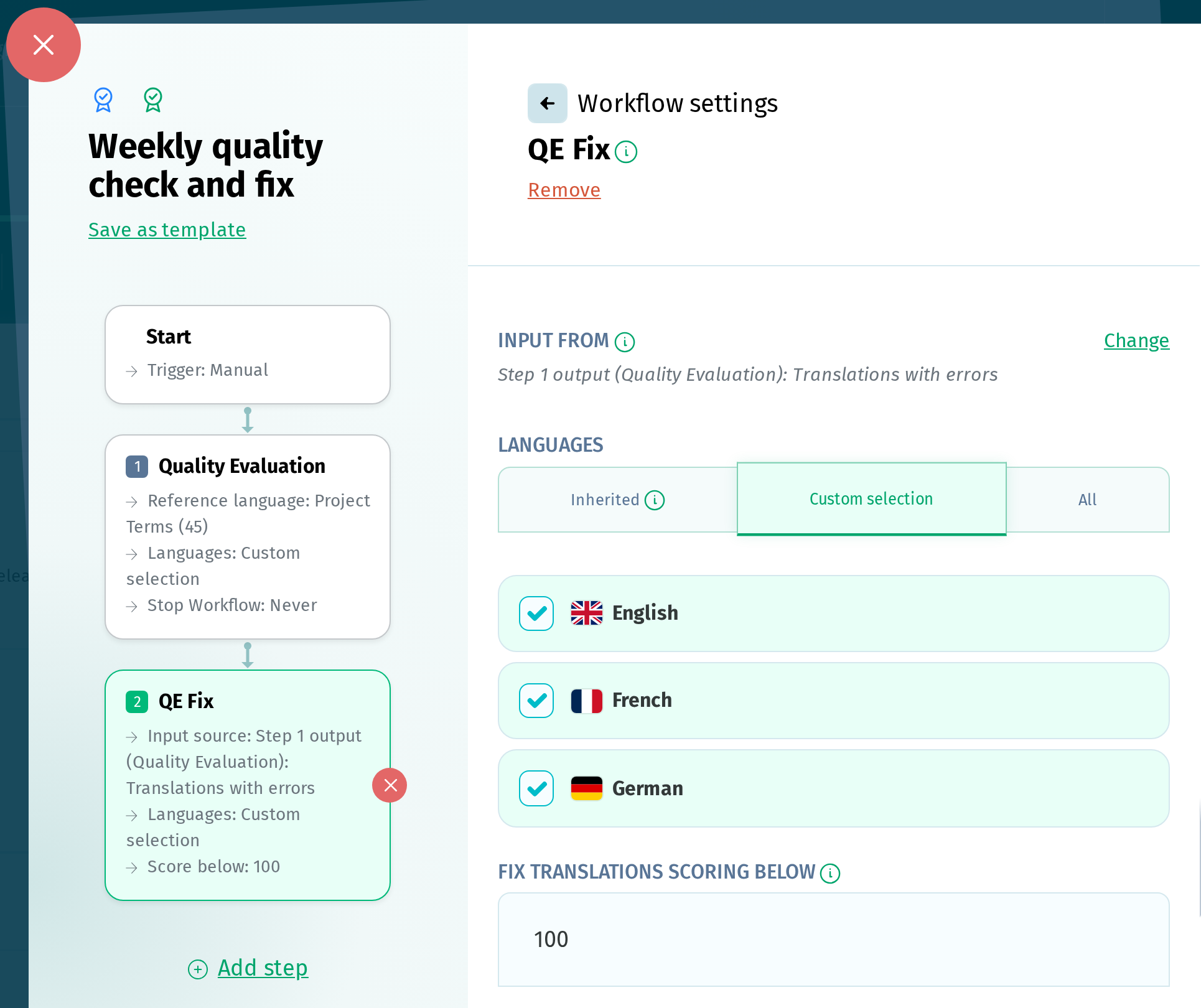
The QE Fix step in Custom Workflows uses AI to rewrite translations that received a low score in Quality Evaluation, without requiring manual edits.
When used as the first step in a workflow, it can run on the following triggers:
- New terms
- Reference language updated
- Scheduled
- Manual
Input from determines which translations the step fixes. Select Failed Translations from a Quality Evaluation step to fix only the translations flagged by that step. If you leave it at the default, the step fixes all translations in the selected languages whose latest evaluation score is below the threshold, regardless of whether a Quality Evaluation step ran in the same workflow.
The fix can run on:
- the languages inherited from the previous step
- a custom selection of languages
- all the project languages
Fix translations scoring below sets the score a translation has to fall below to be fixed. You can enter any value from 1 to 100. The default value is 100, so every translation that didn't score a perfect 100 is fixed unless you change it.
Fixed translations overwrite the existing translations, which the step reports as Adjusted translations. Translations it doesn't rewrite are reported as Unaffected strings.