Available for Workflows, Copy to other projects lets you copy a workflow, including its trigger and the settings for each step, to other projects you own.
Open a workflow's preview by clicking its name in a project's Workflows section or on the Workflows page in the navbar. Then click Copy to other projects.
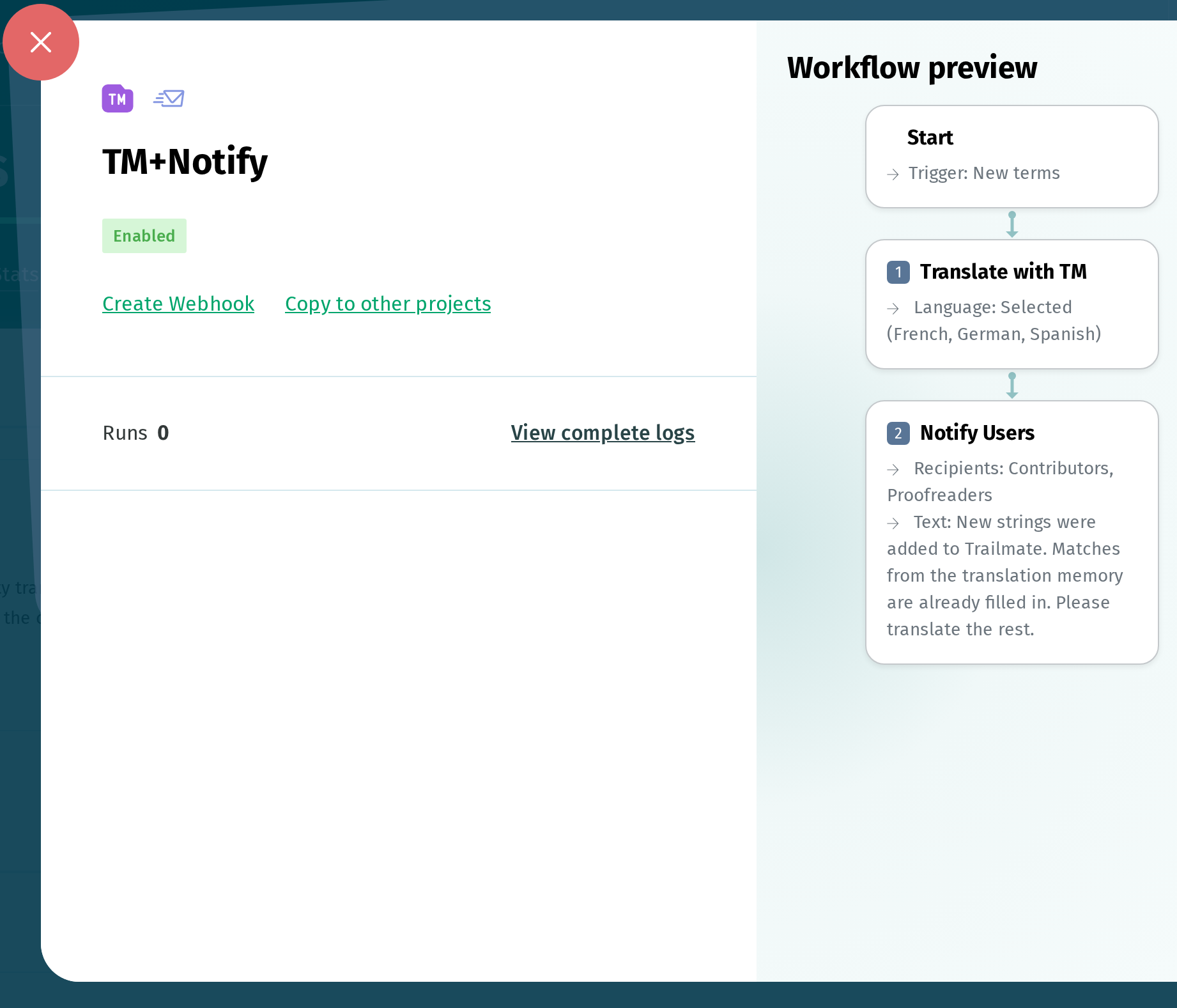
The next page shows your other projects, grouped by whether the workflow can be copied to them:
- Select projects: the workflow can be copied as it is
- Projects with warnings: the workflow can be copied, and each project shows its warnings
- Incompatible projects: the workflow can't be copied, and each project shows why
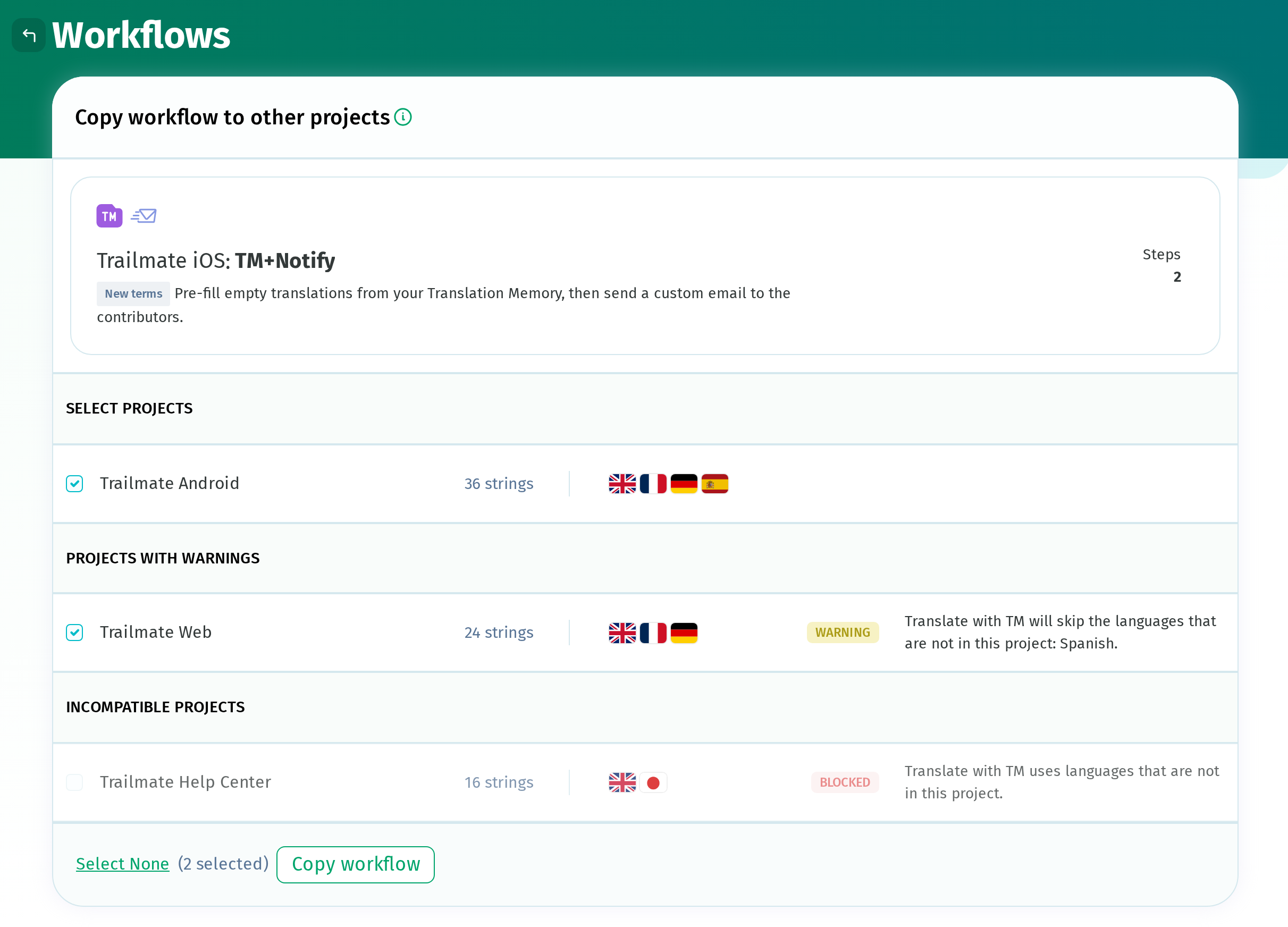
Select the projects and click Copy workflow.
Copied workflows are disabled by default, so they need to be enabled in each project before they run.
Good to know
- For a step whose languages are set to Custom selection, only the languages available in the target project are kept.
- A workflow with an Import from Git or Export to Git step can be copied only if the step is set to All linked files, and only to projects with linked files.
- A webhook created for the workflow is not copied.
- If your plan limits the number of workflows, each copy counts toward that limit, even while disabled. Copies for projects that would exceed the limit are skipped.