 POEditor
Python has had a localization module in its standard library for a long time. gettext uses the GNU gettext file formats, it has no dependencies, and it behaves the same in a Django site, a Flask app, or a command-line script.
Python gettext localization involves four main steps: marking the strings you want translated, extracting them into catalog files, translating those catalogs, and loading the right one when the app runs. Preparing the code is Python internationalization (i18n); producing the translations is localization (l10n).
This guide covers the full cycle on a small Flask to-do app—marking strings in Python and Jinja, extracting them with Babel, managing the translations in POEditor, handling plurals and ambiguous words, and switching the interface between English and French.
Overview
- Setting up the project
- How localization works in Python
- Marking strings for translation
- Plurals and ambiguous strings
- Extracting the strings into a catalog
- Managing the translations in POEditor
- Common Python gettext mistakes
- Frequently asked questions
Setting up the project
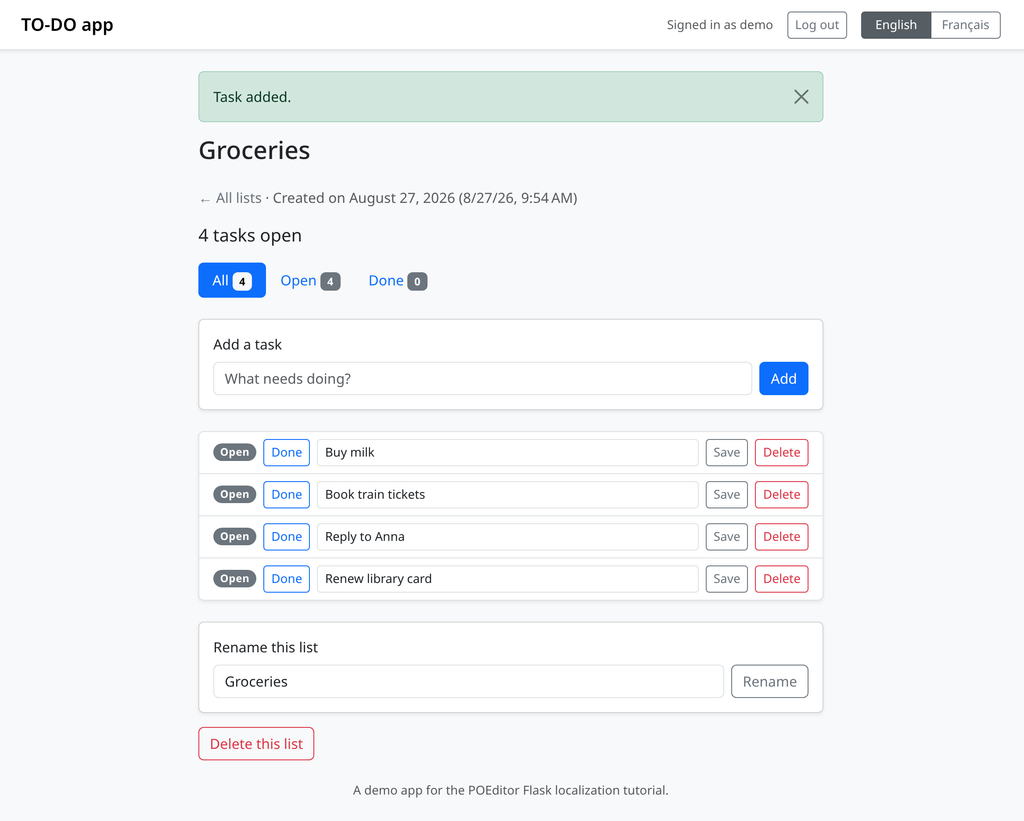
To follow this guide you need Python 3.9 or newer—pgettext(), which we use later for translation context, was added in 3.8.
We’ll localize TO-DO app, a small Flask project where users register, log in, and manage their to-do lists:
The app uses a few routes, SQLite, and Jinja templates, with the kinds of strings you would normally find in a real application: page titles, form labels, flash messages, button text, and counts that change with the number of items. If you’re bringing your own app, everything from the extraction step onwards works the same way.
Install the dependencies:
pip install Flask Flask-BabelFlask-Babel pulls in Babel, so that’s the only install you need:
# requirements.txt
Flask==3.1.3
Flask-Babel==4.0.0
Babel==2.18.0
Python’s documentation names three extraction tools: xgettext, pygettext.py and Babel. Babel is a good fit here because it reads Jinja templates as well as .py files, and it can also compile catalogs and format dates and numbers by locale.
Flask-Babel hooks it into Flask and selects a locale per request.
The structure we’re working with:
app/
├─ wsgi.py
├─ requirements.txt
├─ babel.cfg                  # tells Babel which files to scan
├─ messages.pot               # extracted source strings (generated)
└─ todoapp/
  ├─ __init__.py             # create_app(), Babel setup, locale selection
  ├─ config.py               # supported locales and Babel settings
  ├─ auth.py                 # register / log in / log out
  ├─ todos.py                # list and task CRUD
  ├─ templates/
  │  ├─ base.html            # header with the language switcher
  │  ├─ index.html
  │  ├─ list.html
  │  └─ auth/
  │     ├─ login.html
  │     └─ register.html
  └─ translations/           # one folder per language
      └─ en/LC_MESSAGES/
        ├─ messages.po
        └─ messages.mo
Run it with:
flask --app wsgi runFlask prints the address it’s serving on. Register an account and look around: every string you see is hardcoded English.
How localization works in Python
Python localization with gettext is a six-step cycle. Steps 1 and 2 repeat whenever you add or change text; steps 3 to 6 whenever you add a language.
- Mark the translatable strings with _() or one of its variants.
- Extract them into a .pot template, using Babel.
- Create one `.po` catalog per language from that template.
- Translate the catalogs, by hand or in a platform such as POEditor.
- Compile each `.po` into a `.mo`, the binary format gettext reads.
- Select a locale and load its catalog when the app runs.
Babel covers steps 2, 3 and 5, gettext covers 1 and 6, and step 4 is where POEditor comes in.
msgid, msgstr, and the three file types
Each catalog entry pairs a source string, the msgid, with its translation, the msgstr:
msgid "Create list"
msgstr "Créer une liste"
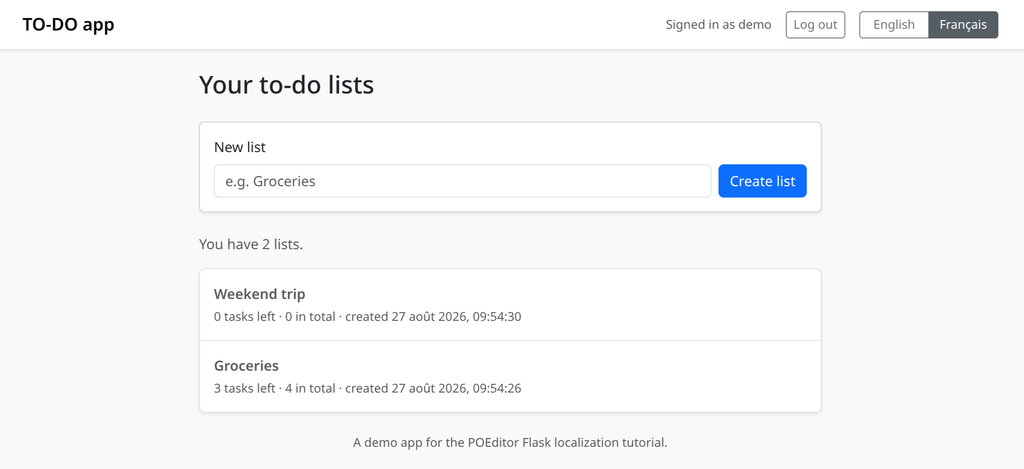
At runtime gettext looks up the msgid for the active locale and returns the msgstr. With no catalog, or no entry, it returns the msgid—the English text. That is why an untranslated app still runs, and why TO-DO app already offers French but renders in English apart from the dates:
Three file types carry those entries. `.pot` is the template: every extracted source string with empty translations, regenerated from source rather than edited. `.po` is one language’s catalog, holding the translations plus metadata—source references, contexts, plural rules. `.mo` is the compiled .po that gettext actually reads, so an edited translation does nothing until you recompile.
They live in a tree keyed by locale, each catalog named after the gettext domain—messages here:
translations/
├── en/LC_MESSAGES/messages.po, messages.mo
└── fr/LC_MESSAGES/messages.po, messages.mo
The two gettext APIs
The GNU-style API mirrors the C library: you bind a domain to a directory and install _() for the whole process.
Python’s documentation is explicit: “If you use this API you will affect the translation of your entire application globally.” That suits a command-line tool that picks its language once, from the environment.
The class-based API returns a translation object instead:
# app.py
import gettext

translation = gettext.translation(
    "messages", localedir="locale", languages=["fr"],
)
_ = translation.gettext
The documentation calls this “the recommended way of localizing your Python applications and modules”, and points to it for applications that “need to switch languages on the fly”—any web app, since it serves several languages from one process.
Frameworks wrap this API rather than replacing it. Flask-Babel and Django both call into gettext, use the same .po and .mo files, and add per-request locale selection and template integration. TO-DO app imports gettext from flask_babel; everything from step 2 onward is identical either way.
Marking strings for translation
Marking a string means wrapping it in a function call, which does two jobs: at runtime it looks the string up in the active catalog, and at extraction time it tells Babel the string needs translating.
In Python modules
Import gettext as _, the name extraction tools look for by default. With Flask-Babel it comes from flask_babel rather than the standard library:
# todoapp/auth.py
from flask_babel import gettext as _
Then wrap the user-facing strings. The registration view, with its bare literals replaced:
# todoapp/auth.py
error = _("Password must be at least 6 characters long.")
flash(_("Account created. You can log in now."), "success")
return render_template("auth/register.html", title=_("Create an account"))
Page titles count, since they reach the <title> tag and the <h1>.
When a message contains a value, keep the whole sentence inside the call and pass the value as a named placeholder:
# todoapp/auth.py
error = _("The username “%(username)s” is already taken.", username=username)
A translator can move %(username)s anywhere the sentence requires, and can tell what will be substituted. Positional %s gives them neither.
In Jinja templates
Flask-Babel installs the same functions into the Jinja environment, so templates call _() with no import:
{# todoapp/templates/index.html #}
<label for="name" class="form-label">{{ _('New list') }}</label>
<input id="name" name="name" class="form-control"
      placeholder="{{ _('e.g. Groceries') }}">
<button type="submit" class="btn btn-primary">{{ _('Create list') }}</button>
Note the placeholder. Attribute text sits outside the tags and is easy to miss, but a user reads it—and so do title and aria-label, including the ones your UI framework generates. TO-DO app’s _("Menu") and _("Close") strings come from Bootstrap’s navbar toggle and dismissible alerts:
{# todoapp/templates/list.html #}
<button type="submit" title="{{ _('Toggle done') }}">
What to leave alone
Not every string is for a human. Leaving these unmarked keeps the catalog to what translators can work on:
- Route and endpoint names — url_for(‘todos.index’), blueprint names. A translated route breaks routing.
- Form fields and query parameters — request.form.get(“username”), ?show=open. Part of the HTTP contract, not the interface.
- Database identifiers, CSS classes, element ids and data attributes.
- Config keys and locale codes — “en” and “fr” are identifiers that happen to look like words.
- Log messages and developer-facing errors, unless you want them localized.
One deliberate exception: TO-DO app marks its own name, so a translator can localize it. The French catalog leaves it as “TO-DO app”.
Plurals and ambiguous strings
Two kinds of string need more than _(). They’re both part of marking strings for translation, so they need to be handled before extraction.
Counts with ngettext
A sentence mentioning a number changes shape with that number. ngettext() takes the singular, the plural and the count:
{# todoapp/templates/index.html #}
{{ ngettext('You have %(num)d list.', 'You have %(num)d lists.',
            todo_lists|length) }}
In plain Python you substitute the value yourself with % {"num": count}. The version to avoid:
# Don't do this.
if count == 1:
    text = _("You have 1 list.")
else:
    text = _("You have %(num)d lists.") % {"num": count}
That hard-codes English grammar into application logic. English has two plural forms, splitting at one; French has three; Polish has four; Arabic has six. ngettext() applies the plural rule stored in the catalog for the active language, which Babel writes into the header when the catalog is created:
"nplurals=3; plural=(n == 0 || n == 1) ? 0 : n != 0 && n % 1000000 == 0 ? 1 : 2;\n"A pluralized entry has a msgid_plural and one msgstr per form:
msgid "You have %(num)d list."
msgid_plural "You have %(num)d lists."
msgstr[0] "Vous avez %(num)d liste."
msgstr[1] "Vous avez %(num)d de listes."
msgstr[2] "Vous avez %(num)d listes."
A language with six forms adds msgstr[3] and beyond. Your source doesn’t change.
Context with pgettext
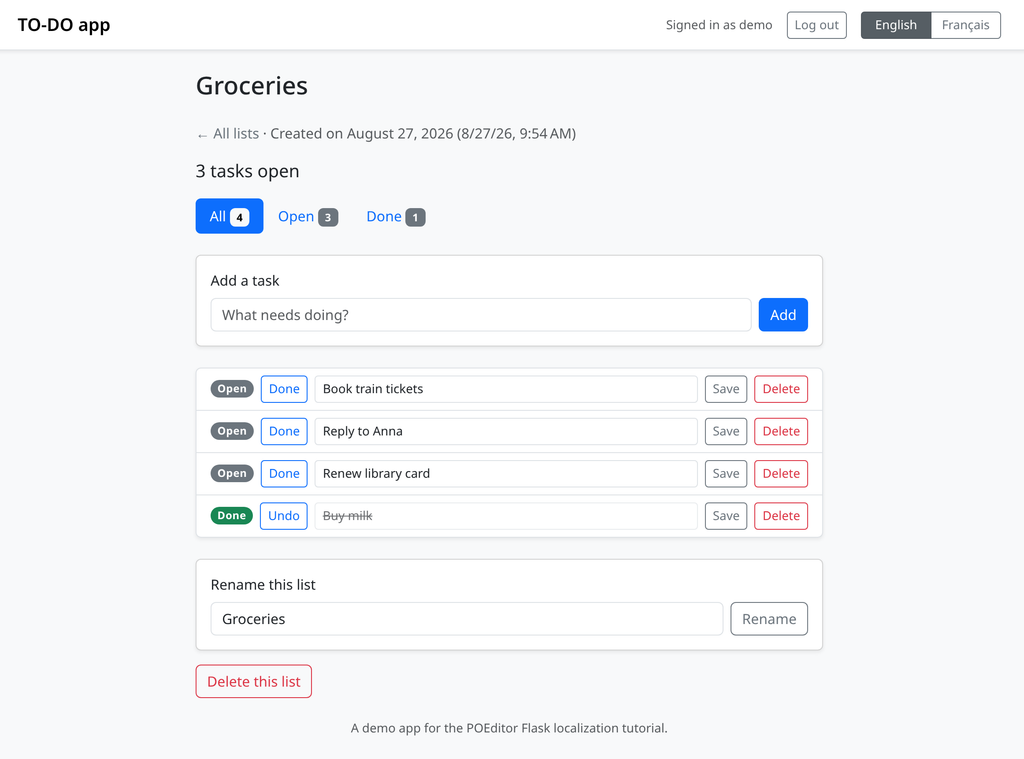
The other problem is a word whose meaning depends on context. TO-DO app’s list page uses “Open” and “Done” in three roles: filters over the whole list, a badge showing one task’s state, and the button that changes it.
English uses the same word for all three; many languages don’t. The filters describe a set, the badge one task, the button an instruction. pgettext() attaches a context, so the same text in a different context becomes a separate catalog entry:
# todoapp/todos.py
filters = (
    ("all", pgettext("task filter", "All"), len(all_items)),
    ("open", pgettext("task filter", "Open"), open_count),
    ("done", pgettext("task filter", "Done"), done_count),
)

{# todoapp/templates/list.html #}
{{ pgettext('task status', 'Done') if item.done
  else pgettext('task status', 'Open') }}

{{ _('Undo') if item.done else _('Done') }}
The button keeps a plain _(), because there is only one way to read it. “Done” now produces three entries, distinguished by msgctxt:
msgctxt "task filter"
msgid "Done"
msgstr "Terminées"

msgctxt "task status"
msgid "Done"
msgstr "Terminée"

msgid "Done"
msgstr "Terminer"
Three French words—plural, singular, infinitive—from one English one. Without the context a translator sees “Done” once, picks whichever case they imagined, and two of the three read wrong.
Name contexts after the role, not the location: "task status" still makes sense after you move the badge.
Both at once with npgettext
For a string needing a context and plural forms, npgettext() takes the context first:
{# todoapp/templates/list.html #}
{{ npgettext('task counter', '%(num)d task open',
            '%(num)d tasks open', open_count) }}
Extracting the strings into a catalog
Extraction scans your source files for marked strings and writes them to a .pot template. Since you’ll run it whenever the source changes, it’s worth configuring Babel once.
Tell Babel where to look
babel.cfg, at the project root, says which files to scan and how to parse them:
# babel.cfg
[python: todoapp/**.py]
[jinja2: todoapp/templates/**.html]
Two mappings, because the strings live in two kinds of file. The jinja2 extractor finds {{ _('…') }} calls a Python parser would skip—miss that line and every template string goes untranslated, with no error to tell you.
Run the extraction
pybabel extract -F babel.cfg -k _l -o messages.pot \
    --project="TO-DO app" --version=1.0 .
-F points at the config, -o names the output, and the trailing . is the directory to scan. --project and --version land in the .pot header, which translation tools display.
-k _l adds a keyword. Babel looks for _, gettext, ngettext, pgettext and npgettext by default; _l picks up lazy_gettext, which you need for strings evaluated at import time, before a request exists and a locale has been chosen.
Read the .pot file
The result is a header followed by one entry per string:
# messages.pot
#: todoapp/auth.py:28
msgid "Please log in to continue."
msgstr ""

#: todoapp/todos.py:112
msgctxt "task filter"
msgid "Done"
msgstr ""

#: todoapp/templates/index.html:23
#, python-format
msgid "You have %(num)d list."
msgid_plural "You have %(num)d lists."
msgstr[0] ""
msgstr[1] ""
The #: comment records where each string came from, which is how you find it in the code when a translator asks what it refers to. Contexts arrive as msgctxt, plurals as msgid_plural with one empty msgstr per form, and #, python-format marks strings with placeholders so tools can check translations keep them.
Every msgstr is empty. A template is only the list of what needs translating, regenerated from source and never edited by hand.
Create the language catalogs
The app doesn’t read the .pot. Each language gets a .po, initialized from it:
pybabel init -i messages.pot -d todoapp/translations -l fr
That writes todoapp/translations/fr/LC_MESSAGES/messages.po with the same entries and the French plural rule in its header.
Later, once you’ve re-extracted, update merges the new template into catalogs that already hold translations:
pybabel update -i messages.pot -d todoapp/translationsIt adds new entries, drops dead ones, and flags likely renames as fuzzy for a translator to check. Existing translations survive.
The source language needs no catalog of its own, since an unmatched lookup returns the msgid. TO-DO app ships one anyway, each translation a copy of its source string, so every language goes through the same code path.
Managing the translations in POEditor
Editing .po files by hand works for one language and one person. Past that you want somewhere to see what’s missing and let translators work without touching the repository.
POEditor reads and writes standard Gettext files, so the app doesn’t change. Log in and create a project for it.
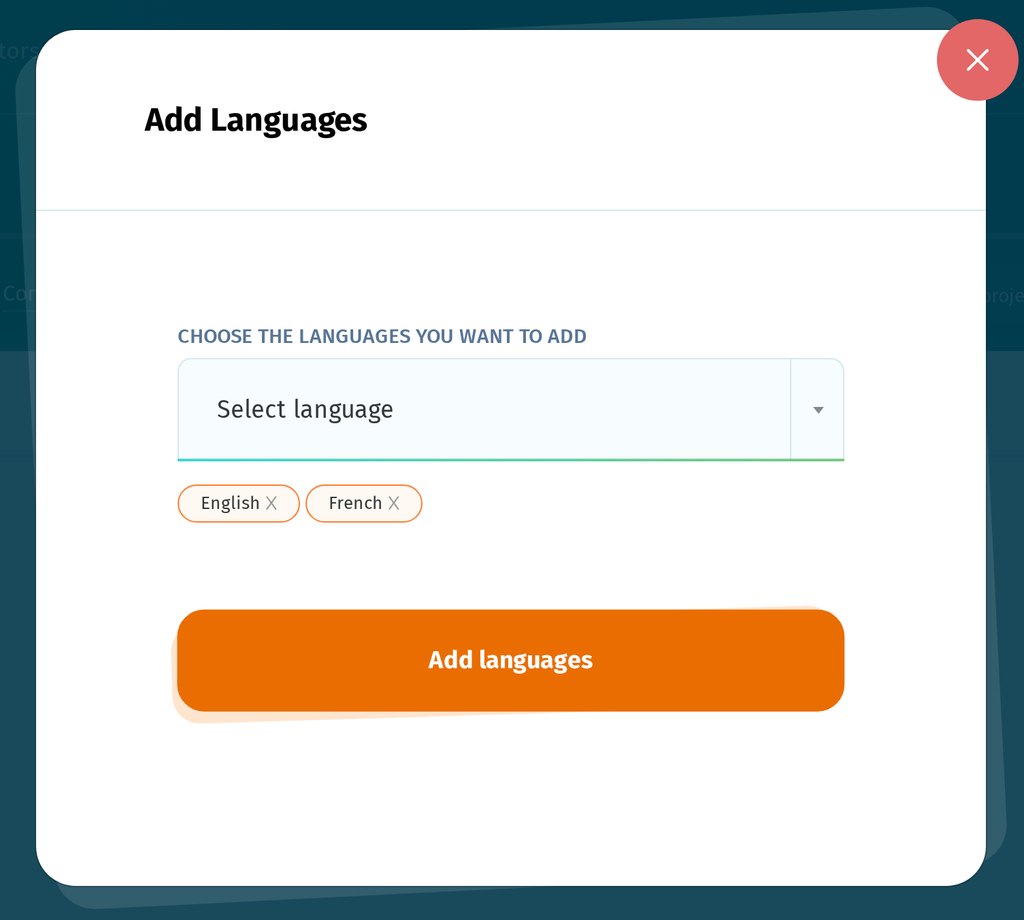
Add the languages
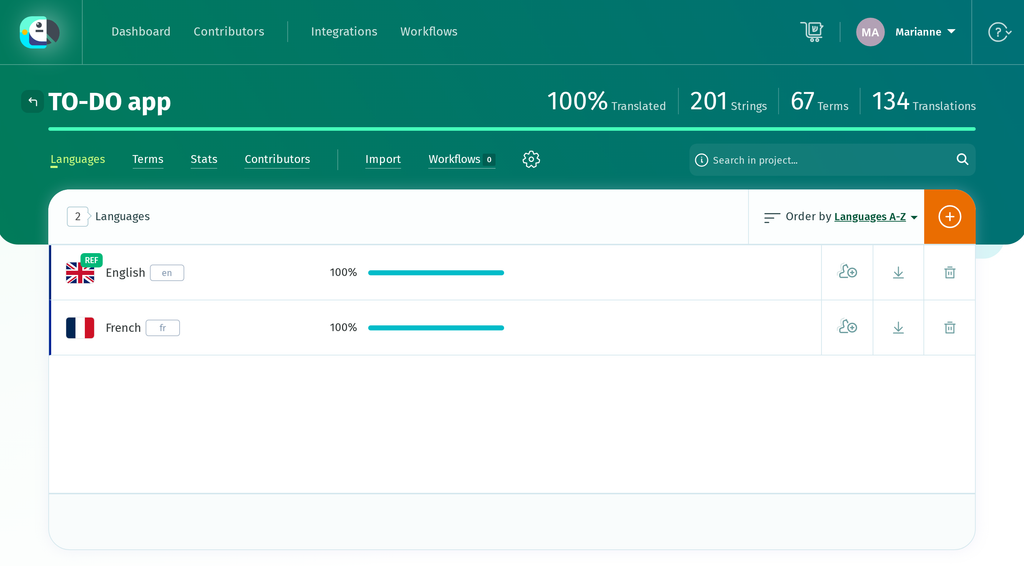
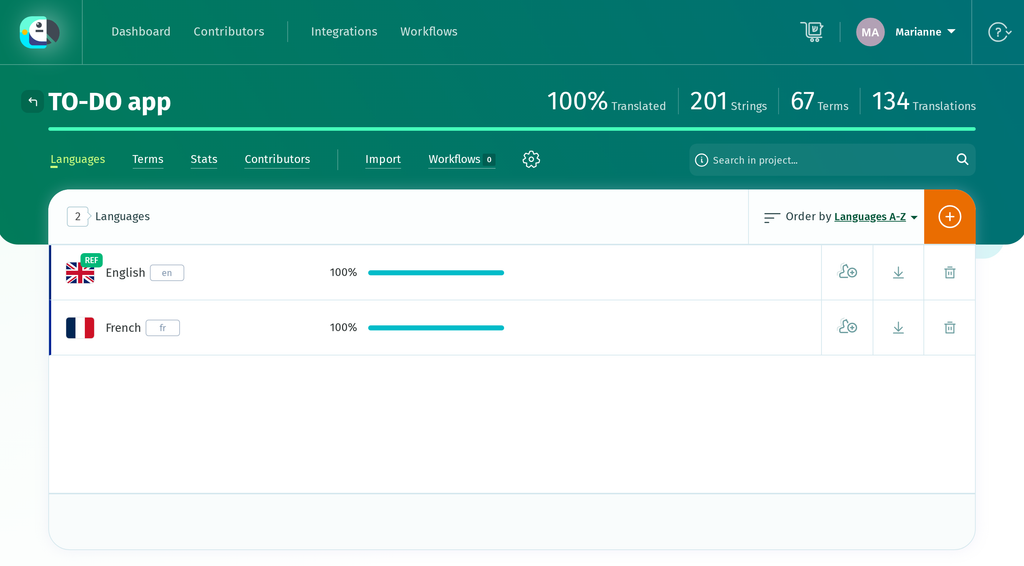
A project needs a language before you can import anything. Add English as the source and French as the target—both come from the same list:
Import the .pot file
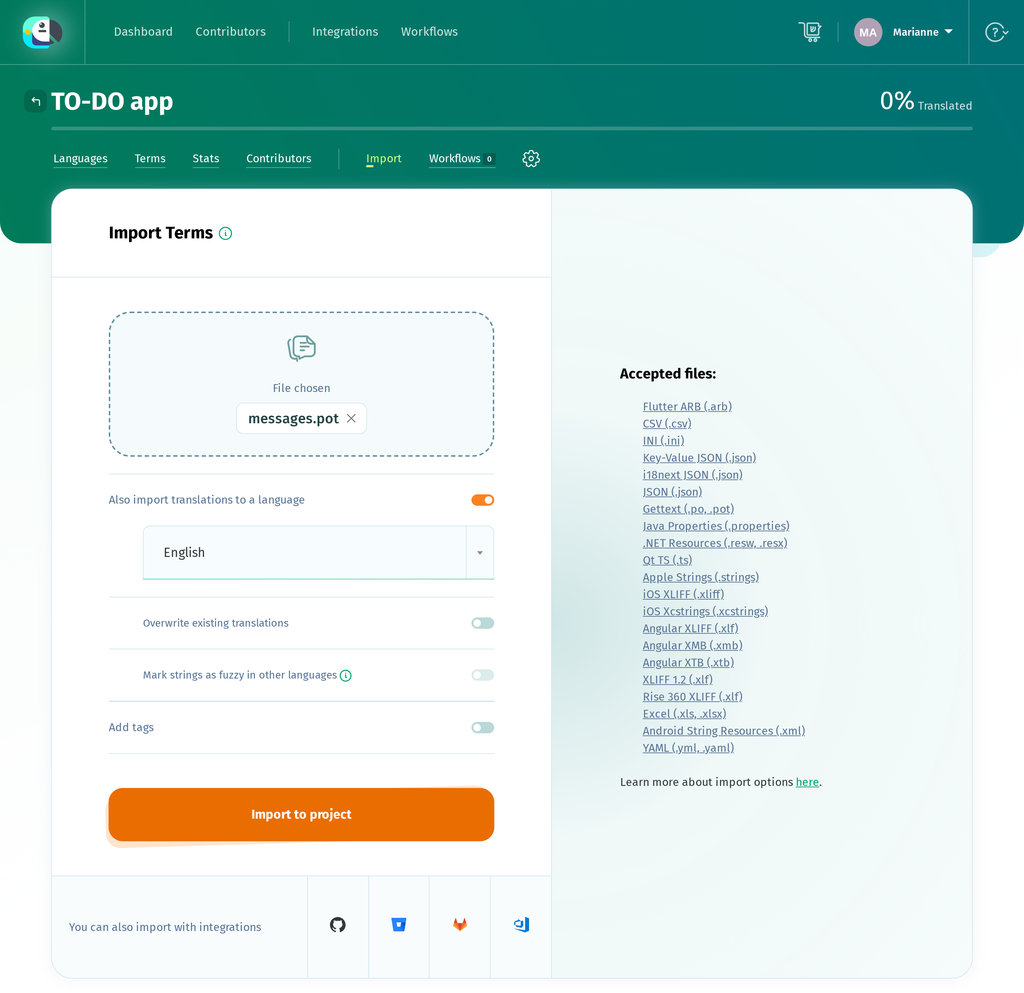
Go to Import, choose messages.pot, and pick a language—the same page handles .po files that carry translations, so it asks even though a .pot has none. Select English.
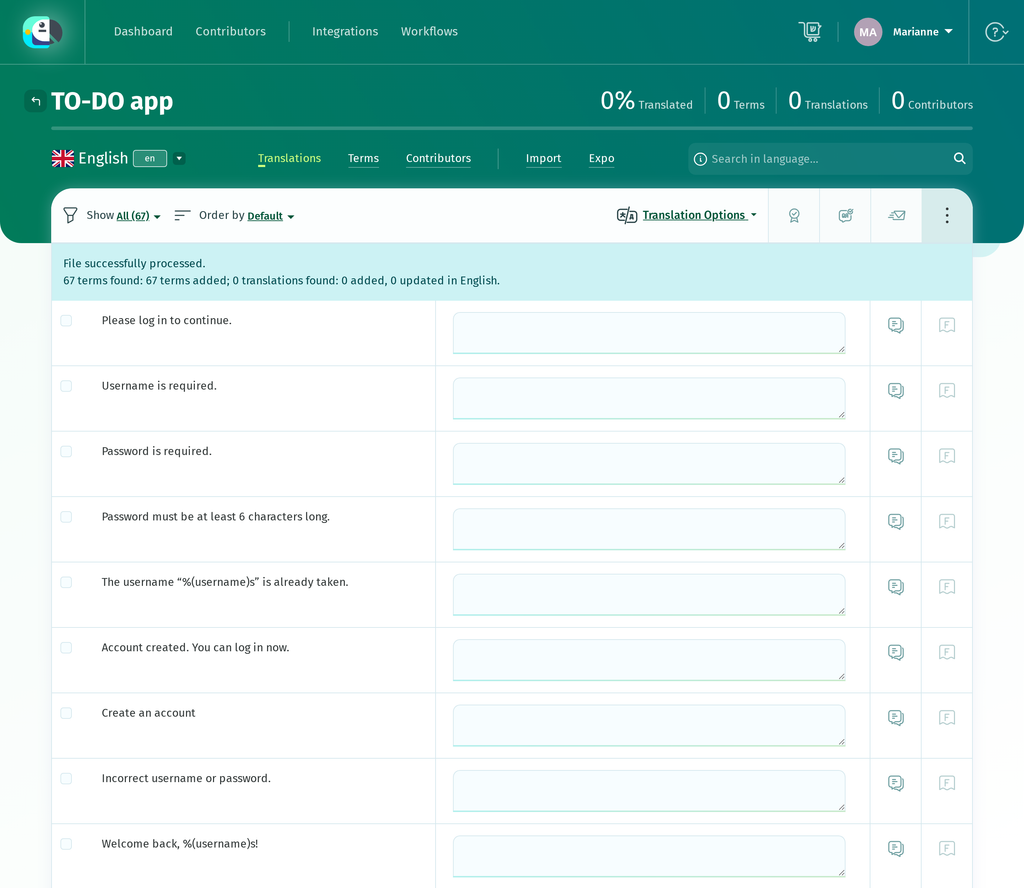
POEditor reports what it did: File successfully processed. 67 terms found: 67 terms added; 0 translations found: 0 added, 0 updated in English.
Sixty-seven, not sixty-eight: the metadata entry at the top of the .pot isn’t a term. “0 translations” is expected of a template.
The terms list carries the msgctxt values from pgettext() across as a CONTEXT label:
Set a reference language
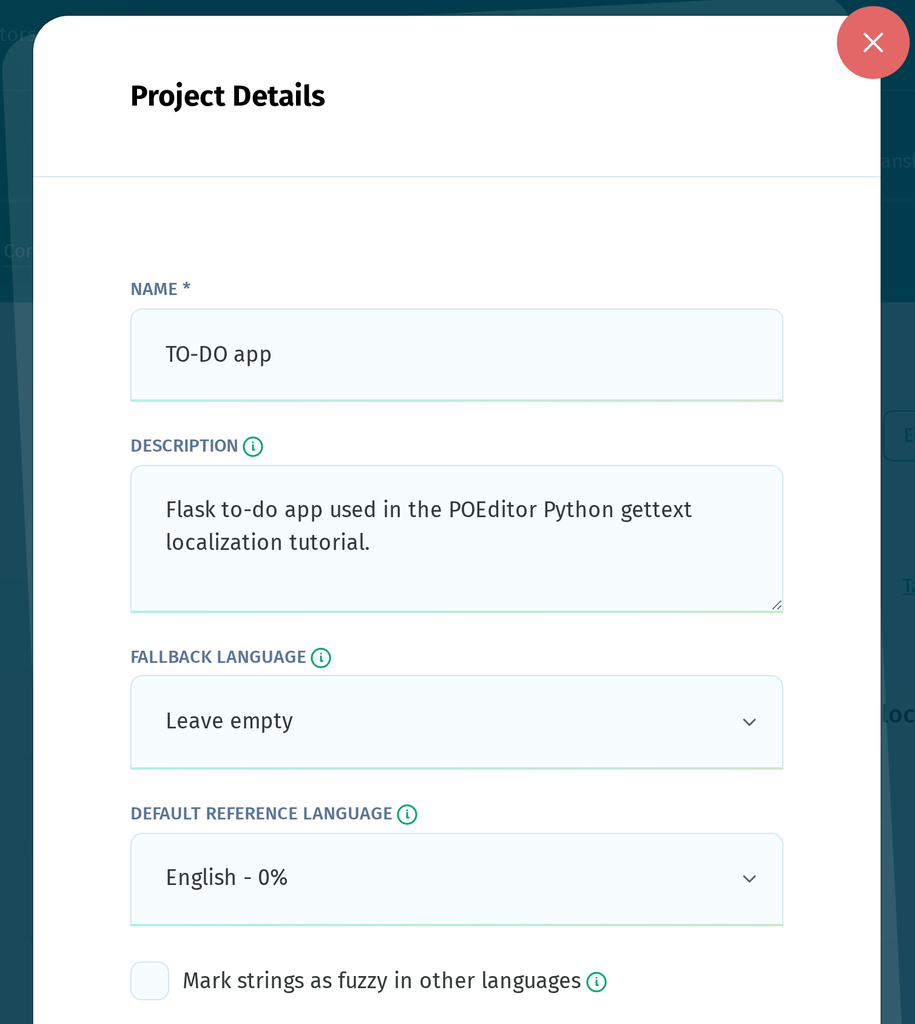
Under Project settings → Edit Details, set Default Reference Language to English, so translators see the source alongside the field they’re filling in. Press Save project details—changing the dropdown alone doesn’t save it.
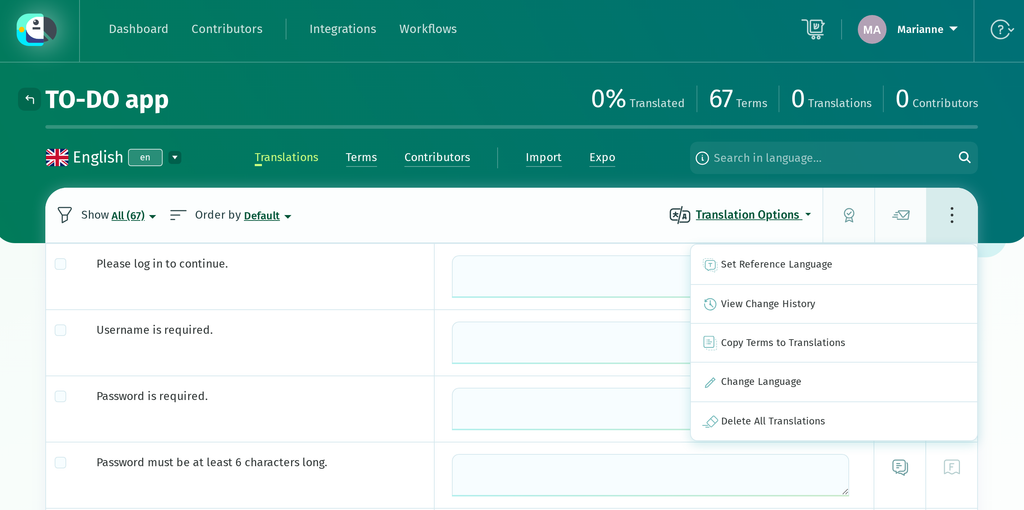
There’s a catch: importing a .pot creates terms but no translations, so English sits at 0% with nothing to show. Since the terms are actual text rather than labels or keys, you can use Copy Terms to Translations from the English language page. It fills every empty box with its corresponding term while leaving existing translations unchanged.
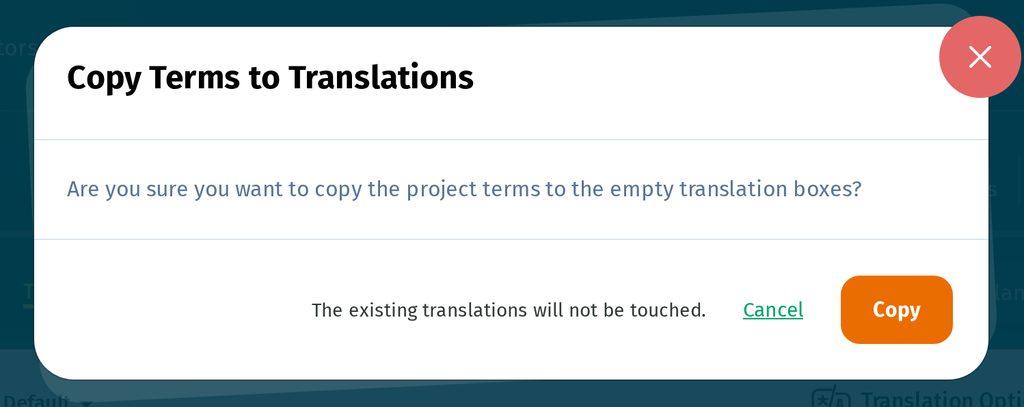
It fills the singular of pluralized strings and leaves the plural forms empty, since it can’t guess them. Type those in and English is complete.
Translate into French
Open the French language and work down the list. Translations save as you go:
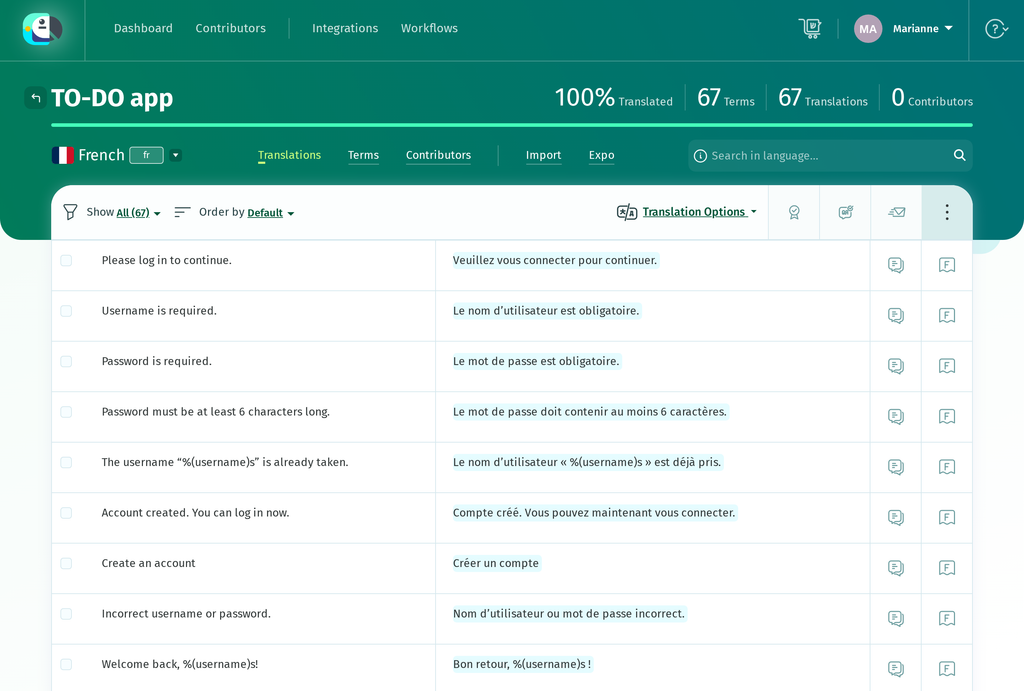
This is where the context and plural rules from earlier come into play. Strings marked with pgettext() show their context, so a translator sees that one “Done” is a filter and the other one task’s state, and renders them Terminées and Terminée. Pluralized strings get a tab per plural form, using CLDR categories—for French, ONE, MANY and OTHER:
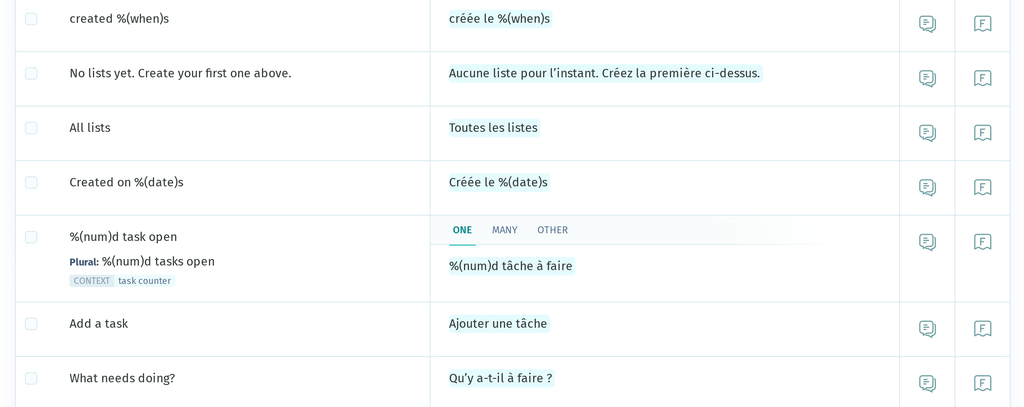
POEditor’s QA Checks also cover placeholders, including Python’s %(name)s style, and flag a translation that drops the %(num)d as soon as it’s saved.
Export the catalog
Go to Export, choose Gettext PO (.po) and download:
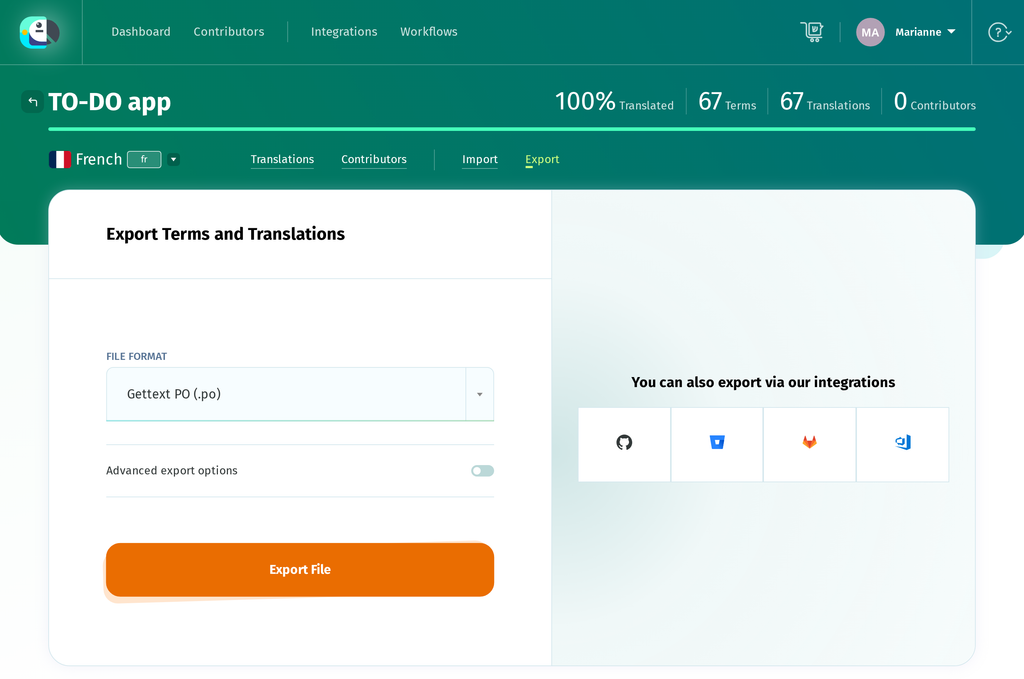
Quick tip: the format list also offers Gettext MO (.mo), the compiled catalog, which lets you skip the pybabel compile step below. Keep the Babel step if compiling is already part of a build or CI process.
Loading the translations at runtime
Three things have to happen for a visitor to see the translated catalog: it needs compiling, the app needs to pick a locale per request, and the visitor needs a way to change it.
Compile the catalog
Save the exported file where gettext expects it—locale directory, locale code, LC_MESSAGES, domain name:
todoapp/translations/fr/LC_MESSAGES/messages.poThen compile:
pybabel compile -d todoapp/translationsThat writes messages.mo beside each messages.po. gettext reads the .mo, so editing a .po does nothing until you recompile—and catalogs load once, so restart the app.
Select a locale for each request
Which locales the app offers, and where the catalogs live, are configuration:
# todoapp/config.py
LANGUAGES = {"en": "English", "fr": "Français"}
BABEL_DEFAULT_LOCALE = "en"
BABEL_TRANSLATION_DIRECTORIES = "translations"
A web app can’t pick a language at startup, since different visitors want different ones. Flask-Babel calls a selector on every request:
# todoapp/__init__.py
def select_locale():
    chosen = session.get("locale")
    if chosen in Config.LANGUAGES:
        return chosen
    return request.accept_languages.best_match(list(Config.LANGUAGES)) or \
        Config.BABEL_DEFAULT_LOCALE

babel.init_app(app, locale_selector=select_locale)
Three sources in priority order: the visitor’s choice, the Accept-Language header, then the default. The membership test keeps an edited session value or a made-up URL from pushing an unsupported locale into gettext.
Let the visitor choose
A route records the choice and sends them back where they were:
# todoapp/__init__.py
@app.route("/lang/<locale>")
def set_language(locale):
    if locale in app.config["LANGUAGES"]:
        session["locale"] = locale
    return redirect(request.referrer or url_for("todos.index"))
with a link per locale in the header, labelled from LANGUAGES. Write each label in its own language: “Français” rather than “French”. People scanning for their own language look for it the way they write it.
Restart the app and switch to French:
Every string now comes from the compiled catalog: the plural counter, the badges and filters with their contexts, the buttons, the flash messages. Not one source string changed.
When a translation doesn’t appear
Nothing raises when a lookup fails—gettext returns the source string, so the symptom is English where you expected French:
- The `.mo` is in the wrong place. It must be <translations>/<locale>/LC_MESSAGES/<domain>.mo; a missing LC_MESSAGES is the usual culprit.
- The filename doesn’t match the domain. Domain messages means messages.mo.
- The locale isn’t in `LANGUAGES`, so the selector never returns it.
- The string isn’t marked, so it never reached the .pot.
- The `.po` wasn’t recompiled, or the app wasn’t restarted.
- The entry is marked fuzzy. pybabel compile skips fuzzy entries, and pybabel update adds that flag to strings it thinks changed. A translation that’s visibly in the .po and still renders in English is usually this.
- Only the plural counts are wrong. Check the catalog’s Plural-Forms header: it needs nplurals=N; plural=EXPRESSION;. Babel falls back to the English rule if it can’t parse that, which looks right until a count where your language disagrees.
Formatting dates and numbers
Translating words is only part of the job. A French visitor reading Aug 27, 2026, 9:53 AM is reading English conventions in French, and gettext can’t help: that string isn’t in a catalog, it’s generated from a datetime.
This is Babel’s other half. It ships the CLDR locale data, so it knows how each locale writes dates, times and numbers, with no translations needed. TO-DO app puts the formatters in the Jinja environment:
# todoapp/__init__.py
app.jinja_env.globals.update(
    format_datetime=format_datetime, format_date=format_date,
    format_number=format_number, format_decimal=format_decimal,
)
Format the value, then pass the result into a translated sentence as a named placeholder:
{# todoapp/templates/index.html #}
{{ _('%(count)s in total', count=format_number(todo_list.total_items)) }}
{{ _('created %(when)s',
    when=format_datetime(todo_list.created_at_dt, 'medium')) }}
Concatenating a translated fragment with a formatted value would take word order away from the translator. Keeping the sentence in one _() call lets them put the date where their language wants it.
Dates take a length—'short', 'medium', 'long' or 'full'—and each locale decides what those mean. You choose how much detail to show, not an order of day, month and year that suits one language:
en    Aug 27, 2026, 9:53 AM      4 in total
fr    27 août 2026, 09:54        4 au total
Month name, component order and the 12- versus 24-hour clock all change, from the same datetime and the same template. This is why selecting French changed the dates earlier, before a single string had been translated.
Keeping the catalogs in sync
Setup happens once. What repeats is a developer adding a string and the catalogs falling behind the code:
edit code  ->  pybabel extract  ->  pybabel update  ->  POEditor
                                                          |
    app  <-  pybabel compile   <-  export .po   <-  translate
Nothing detects a missed step. A string added without re-extracting is never translated in any language, and looks fine in development because English falls back to the source.
Two things help. Commit the .po files alongside the code that produced them, so a translation and its string move through review together. And run pybabel extract in CI, failing the build if messages.pot comes back different—that turns a forgotten _() into a red build instead of a bug report from a French-speaking user.
Automating the import and export
Once the manual import and export process becomes repetitive, the POEditor API can handle both steps. Uploading a freshly extracted template:
curl -X POST https://api.poeditor.com/v2/projects/upload \
  -F api_token="YOUR_API_TOKEN" \
  -F id="YOUR_PROJECT_ID" \
  -F updating="terms" \
  -F file=@"messages.pot"
updating="terms" syncs the term list without touching translations. Pulling a finished language back:
curl -X POST https://api.poeditor.com/v2/projects/export \
  -d api_token="YOUR_API_TOKEN" \
  -d id="YOUR_PROJECT_ID" \
  -d language="fr" \
  -d type="po"
That returns a temporary URL. Download it to the catalog path, run pybabel compile, and the round trip is two scripts your release process can call.
Connecting it to your repository
POEditor also integrates with GitHub, GitLab, Bitbucket and Azure DevOps, which removes the scripts: push a regenerated messages.pot and the new terms appear; when French reaches 100%, the updated messages.po is pushed back. There’s an MCP server too, which exports .po, .pot and .mo for MCP-compatible AI assistants.
The project structure stays the same. Automation only removes the manual file handling in the middle.
Common Python gettext mistakes
Three common mistakes account for most bugs in a multilingual Python application. None of them raise an exception, so you have to recognize them by sight.
Leaving strings unmarked
An unwrapped string is never extracted, never translated, and never reported:

{# Missed. #}
<button type="submit">Add</button>

{# Marked. #}
<button type="submit">{{ _('Add') }}</button>
Template attributes are where this happens most: placeholder, title, aria- label. The reliable check isn’t reading code, it’s reading the app in a language you have translated—anything still in English is unmarked or uncompiled.
Building sentences from fragments
You might be tempted to assemble the sentence from parts:
# Don't do this.
message = _("You have") + " " + str(count) + " " + _("lists")
The translator gets three pieces and no way to reorder them, and word order, agreement and punctuation all differ between languages. Translate whole sentences and pass the values in with ngettext(). The same rule covers a translated verb plus a translated noun, and sentences split across two template lines: if it reads as one sentence to the user, it should be one catalog entry.
Letting placeholders drift
Placeholders are code inside a translated string, and a translator in a text editor can change them:
msgid "Welcome back, %(username)s!"
msgstr "Bon retour, %(nom)s !"    # raises at runtime
The name must match the keyword argument the app passes, so a renamed placeholder is a crash in one language only, on a page nobody on the team reads. A translation platform that validates placeholders can catch this before the file reaches the application.
Wrapping up
The full cycle now runs on a real app: strings marked with _(), ngettext(), pgettext() and npgettext(); a .pot generated by Babel; a French catalog translated in POEditor; a compiled .mo that gettext reads; and a locale picked per request, with a switcher for visitors who want to override it.
Nothing in the source changed along the way. The English strings are still in the code exactly as written. Adding German means adding a language in POEditor, translating, exporting de/LC_MESSAGES/messages.po and compiling—no Python to edit, no templates to touch. The work scales with languages, not with the size of the codebase.
To localize a Python app of your own: mark a handful of user-facing strings with _(), add a babel.cfg and run pybabel extract, import the .pot into a POEditor project, translate a few strings, then export the .po, compile it and load the locale. That’s an afternoon’s work and it exercises every step in this guide—a project this size fits well inside POEditor’s free plan, which allows up to 1,000 strings.
Once one language works, the rest is repetition, and repetition is the part worth automating.
Frequently asked questions
What is gettext in Python?
gettext is the localization module in Python’s standard library. User-facing strings are usually marked with _(), and at runtime gettext looks them up in the catalog for the active language. It has no external dependencies and uses the standard .po and .mo catalog formats.
How do I localize a Python application?
A typical gettext workflow starts by marking translatable strings with _(), then using Babel to extract them into a .pot template. Each language gets its own .po catalog, which is translated and compiled into a .mo file that the application loads once a locale has been selected for the user. When the source text changes, extraction needs to be run again; adding another language follows the same catalog workflow.
How does gettext work in Python?
Each catalog entry pairs a source string, the msgid, with its translation, the msgstr. For the active locale, gettext looks for a compiled catalog at <localedir>/<locale>/LC_MESSAGES/<domain>.mo and returns the matching translation. If there is no matching entry, the source string is returned instead, without raising an error. A missing catalog can also fall back to the source strings when the application is configured to do so.
What are PO, POT, and MO files?
A .pot file is the template containing the extracted source strings, without translations. A .po file is the catalog for a particular language, including its translations and metadata. The .mo file is the compiled version that gettext reads at runtime, so changes made to a .po file only take effect after the catalog is compiled again.
How do I extract translations from Python code?
A babel.cfg file tells Babel which files to scan and which extraction method to use. You can then run pybabel extract -F babel.cfg -k _l -o messages.pot . to collect the marked strings in messages.pot, along with their source locations. The -k _l option tells Babel to also extract strings marked with _l, such as lazy translations. Babel can also extract messages from templates when the corresponding template extractor is configured in babel.cfg.
How do I compile a Python .po file?
For a catalog directory, Babel provides pybabel compile -d todoapp/translations. For a single file, GNU gettext’s msgfmt messages.po -o messages.mo can be used instead. The compiled file needs to follow gettext’s usual <translations>/<locale>/LC_MESSAGES/<domain>.mo layout. If your application has already loaded the catalog, restart it after compiling so it picks up the new .mo file. Fuzzy entries are not compiled as translations.
How do I handle plural translations in Python gettext?
Use ngettext("You have %(num)d list.", "You have %(num)d lists.", count) when the message has singular and plural forms. The plural rule in each catalog determines which form is returned, so languages can have different numbers of plural forms. Polish, for example, has four, while Arabic has six. npgettext() can be used when the message also needs a context.
Can I use PO files to translate a Python application?
Yes. PO is the standard human-readable catalog format used with gettext. A typical workflow is to extract a .pot template, create and translate a .po catalog for each language, and compile each catalog to the .mo format used by the application. POEditor can import and export these files directly, including their contexts and plural forms.